
f
Printing
Print your task list in Nozbe
You can print any task list directly from Nozbe in the task list view:
- Incoming
- Priority
- Single Tasks
- Activity
- Calendar
- or in any of your projects in project settings view.
Hit the Print button in the task list view to generate a print-ready version of your tasks.
A few things worth knowing:
Filters and sorting are respected — what you see on screen is exactly what gets printed.
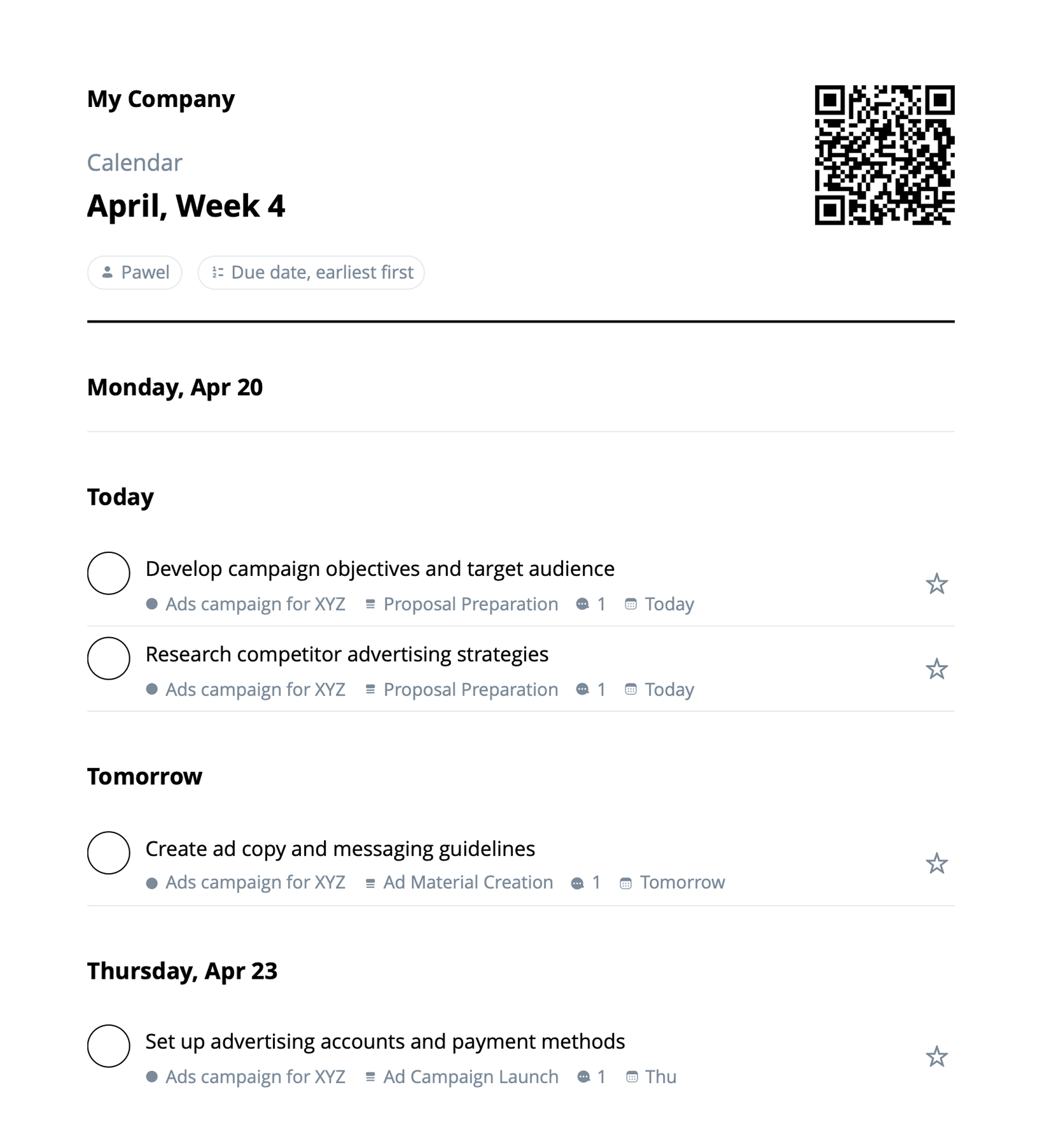
A QR code is included on the printout, linking back to the original list in Nozbe.
Works on all platforms — web, desktop, iOS and Android.
See more:

Copyright © Nozbe 2007-2026




Getting Things Done® and GTD® are registered trademarks of the David Allen Company, the iPhone®, iPad® and Mac® are registered trademarks of Apple Inc., Android® is a registered trademark of Google Inc., Linux® is a registered trademark of Linus Torvalds and all other registered trademarks or trademarks are property of their respective owners. Nozbe® (a registered trademark of Michael Sliwinski) is not affiliated with the above mentioned trademark owners.